
Over the past week, we shipped several updates that make Paradym safer to use in production, easier to test, and more useful for mDoc-based use cases. This month alone the biggest changes are revocable mDoc credentials, certificate revocation checks during verification, and a smoother path from documentation to working API calls.
This article gives a quick overview of what changed and why it matters!
🚀 Certificate revocation checks during verification
Verification is not only about checking whether a credential has a valid signature. In X.509-based ecosystems, it is also important to know whether the certificate chain behind that signature is still trusted.
Paradym now checks the revocation status of the issuer's X.509 certificate chain against its Certificate Revocation List (CRL) when verifying a credential. If any certificate in the chain has been revoked, verification fails and the credential is rejected.
This adds another trust layer on top of existing signature and validity checks. It is especially relevant for ecosystems that rely on certificate-based trust, such as mDoc, mDL, EUDI-aligned deployments, and other OpenID4VC flows using X.509 certificates.
If a certificate's CRL is temporarily unreachable, Paradym does not block the verification. That means short-lived network issues do not automatically reject otherwise valid credentials, while revoked certificates are still caught when the revocation information is available.
🚀 Revocable mDoc credentials
Paradym now supports revocable mDoc credentials! 🎉
This means you can invalidate an mDoc credential after it has been issued, and Paradym can check the credential status during verification. For teams building with mDoc or mDL-style credentials, this is an important step toward production-ready lifecycle management.
To make an mDoc credential revocable, enable the revocable configuration option when creating the credential template. This can be done in the dashboard or through the API. Once credentials have been issued, you can revoke one or more credentials using the Batch Revocation endpoint.
You can read more in the Revocation guide.
🚀 Open example payloads directly in the API Reference
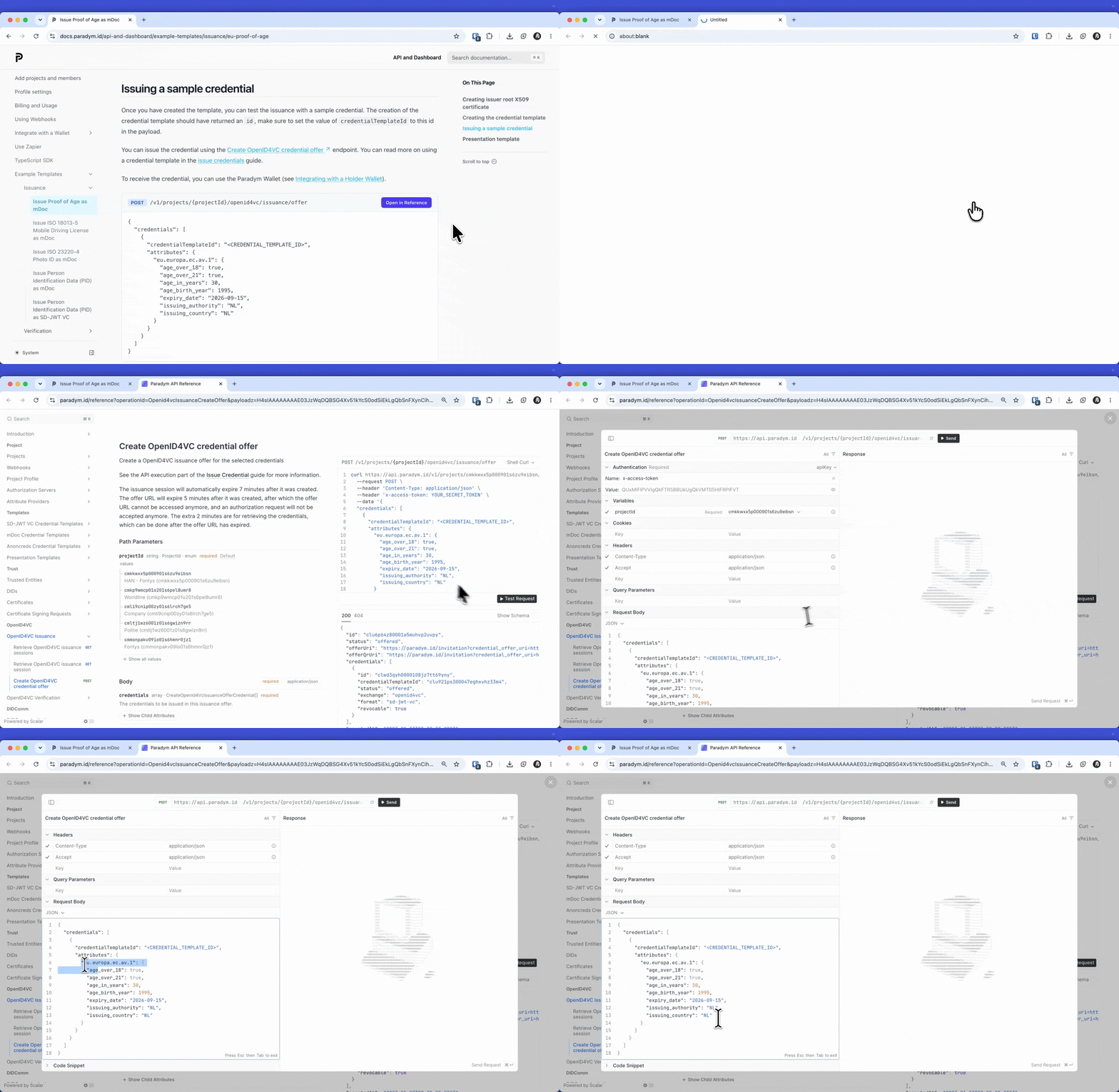
We also made it easier to move from reading the documentation to trying an API call.
Example payloads throughout the documentation now include an Open in Reference button. Clicking it opens the matching endpoint in the API Reference, with the example payload pre-filled.
This removes a small but familiar bit of friction: finding the endpoint, copying a payload, pasting it into the reference, and adjusting it by hand before testing. If you are exploring a new flow, reviewing an example template, or helping someone else get started, the path from docs to a working request is now shorter.
🚀 New example templates for Age Verification and Photo ID
We added new ready-to-use example templates for two common mDoc use cases:
- Proof of Age as mDoc, based on the EU Digital Identity Wallet Age Verification specification.
- ISO 23220-4 Photo ID as mDoc, based on the ISO/IEC TS 23220-4 Photo ID profile.
Both examples include issuance and verification payloads, so you can use them as a starting point for your own templates or test flows:
- Proof of Age issuance and Proof of Age verification
- ISO Photo ID issuance and ISO Photo ID verification
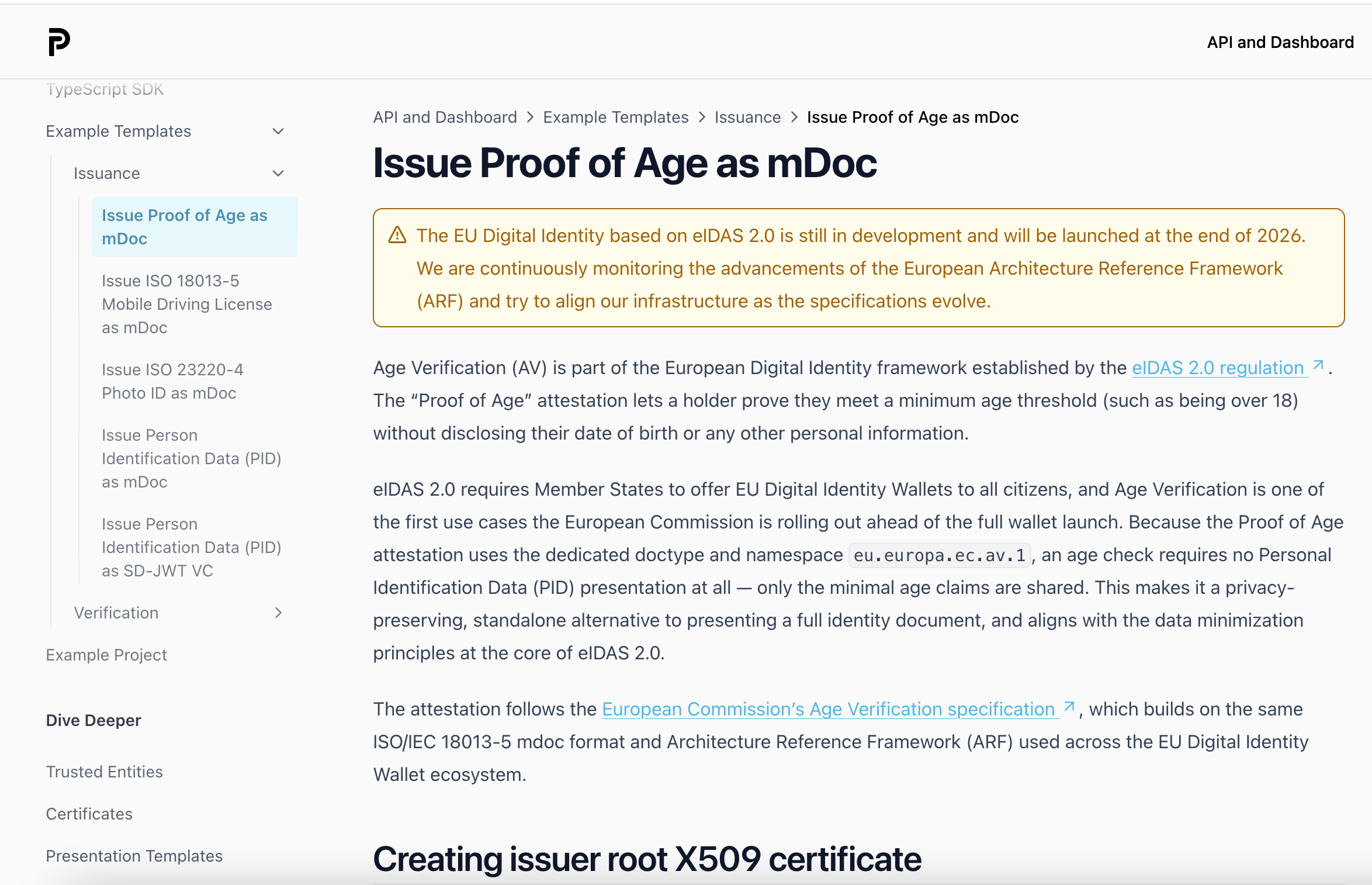
These templates are useful if you want to experiment with EUDI-adjacent mDoc flows without starting from an empty schema.
🚀 Dashboard links from the docs now resolve to your project
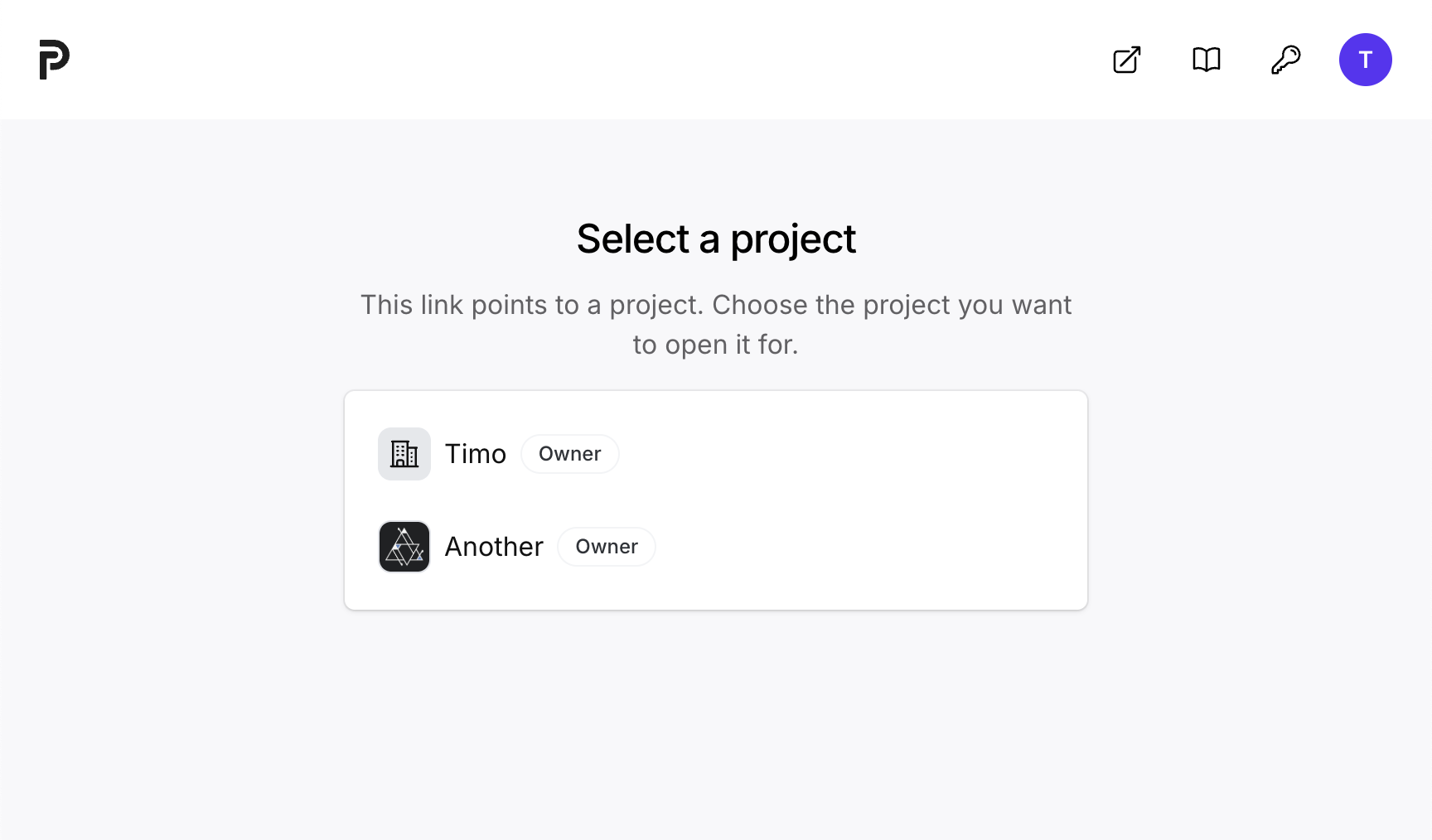
Links from the documentation to the dashboard now use a __walletId__ placeholder instead of a fixed project ID.
When you open one of these links, Paradym asks which project you want to use, resolves the placeholder, and sends you directly to the right dashboard page. If you only have one project, Paradym resolves it automatically and redirects you without an extra step.
This makes dashboard links in tutorials and guides easier to share. The same documentation link can now work for every user, without requiring manually edited project-specific URLs.
🚀 A better foundation for production mDoc flows
Together, these updates improve two sides of the same workflow.
On the trust and lifecycle side, certificate revocation checks and revocable mDoc credentials make it easier to build systems that behave correctly after issuance. Credentials and certificates can expire, be revoked, or become untrusted, and Paradym now handles more of those cases directly.
On the developer experience side, the new example templates, Open in Reference buttons, and project-aware dashboard links make it faster to go from learning to testing.
If you are building with mDoc, OpenID4VC, X.509 certificates, or EUDI-aligned credential flows, these updates should make the next step a little more direct.
Start building for free or explore the Paradym API Reference.